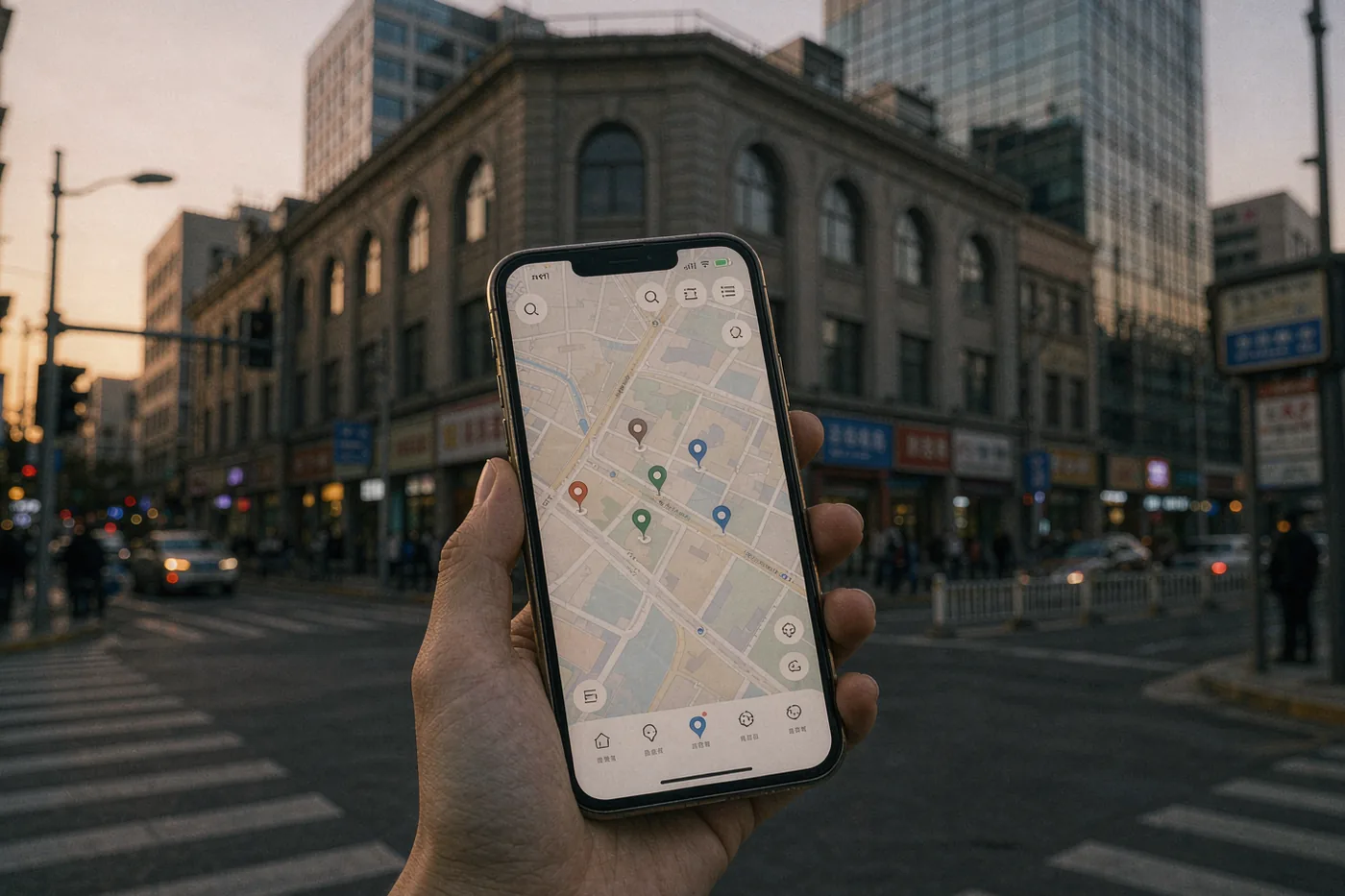
Explore Beijing / Saving and Planning Places on Maps in Beijing: Amap, Custom Lists, and Offline Prep
Saving and Planning Places on Maps in Beijing: Amap, Custom Lists, and Offline Prep
Learn how to save favorite places, build day plans, and go offline with Amap (Gaode) so you never get lost in Beijing — even without a VPN or foreign app store access.
6 min read · KOULING's Beijing Travel Guide
Google Maps barely works in mainland China, and Apple Maps depends on local data that can be patchy. The app locals actually use is Amap (also called Gaode Maps or 高德地图), and it is free. Once you learn to save places, build custom lists, and download offline maps, your whole Beijing trip gets dramatically easier. This guide walks you through the setup, the gotchas, and a practical workflow you can finish in 20 minutes before or right after you land.
Getting Amap Installed and Set Up
Amap is available on international app stores in most regions, so you can usually install it before you fly. If it does not appear in your app store, you can download the Android APK from the official Amap website, or get it through a Chinese app store once you land. Create an account with a phone number (an international number usually works for SMS verification [verify before travel]) or log in via WeChat or Alipay. Switch the interface to English in Settings if available — the English translation covers navigation basics, though some menu items remain in Chinese. Key setup steps:
Download offline maps first — In Settings, find Offline Maps (离线地图) and download the Beijing city pack — roughly 200–400 MB. Do this on hotel or airport Wi-Fi [verify before travel].
Turn on English labels — Look for a language or display setting that shows English street and station names. Without it, every sign is characters-only.
Set your home location to your hotel — Tap your hotel on the map, choose Set as Home (设为家), so one tap always routes you back.
Bookmark the Amap web version — ditu.amap.com works on laptops and is handy for planning on a bigger screen, though it is mostly Chinese-language.
Saving Places and Building Custom Lists
The core habit for trip planning is simple: every place that interests you gets saved the moment you see it in a guide, blog, or video. In Amap, search the place name (paste Chinese characters for the most reliable results), tap the result, then tap Collect (收藏, the star icon). Places land in your Favorites folder (收藏夹), where you can create named collections such as 'Day 1 — Forbidden City area', 'Food', or 'Backup rainy-day options'. Practical tips for Western visitors:
Save places with Chinese names copied — Copy the Chinese name from the source (e.g. 故宫, 南锣鼓巷) and save it in your list. Showing the characters to a driver or passerby works far better than English.
Save a metro exit, not just the landmark — Amap lets you save specific station exits. Large stations like Xidan or Dongzhimen have many exits, and the wrong one can add a 10-minute walk.
Save restaurants and check opening times — Amap listings often include hours and phone numbers, but details can be stale — confirm hours before a long trip [verify before travel].
Use Favorites as your itinerary, not a separate app — For each day, keep a collection of 4–6 saved points. Amap shows them on the map so you can spot which ones cluster together geographically.
Going Offline and Handling No-Signal Moments
Even with a Chinese SIM or eSIM, you will hit dead zones inside the subway, in basement malls, and in remote corners of places like the Great Wall sections. Three things keep you functional offline: the downloaded Beijing map pack, your saved Favorites (which render without data), and screenshots. Before leaving the hotel each morning, screenshot your first two destinations and the metro line diagram. Amap's offline mode handles search and routing for saved and nearby places, but live transit times and traffic need a connection [verify before travel]. If you rely on a VPN for Western apps, remember VPNs can be unstable — never make Amap your backup plan on a VPN-dependent setup. Consider a physical backup: many hotels offer free paper maps at the front desk, and writing your hotel's Chinese address on a card is an old trick that still saves people daily.
Testing Your Setup: Qianmen and Dashilan
Qianmen pedestrian street and the neighboring Dashilan hutong area are ideal for a low-pressure test of your saved-places workflow: dense, walkable, well-signed, and full of saved-worthy food stops. Save three or four snack shops before you go, navigate to them from the metro exit, and see how the whole loop feels.
Metro
Line 2 to Qianmen Station (前门站), Exit A or B — confirm current exit signage [verify before travel]
Opening hours
Street open 24/7; most shops roughly 10:00–22:00 [verify before travel]
Tickets
Free to walk; individual attractions inside may charge CNY 20–60 (approx. USD 3–9) [verify before travel]
How long
1.5–3 hours
Planning Practice: Olympic Park (Bird's Nest and Water Cube)
Olympic Park is a good stress test for transit planning: it requires a metro transfer for most visitors and has long walks between exits and the venues. Save the venues and your return station, then try routing back to your hotel using the transit option (公交/地铁 icon) rather than driving directions.
Metro
Line 8 to Olympic Sports Center or Olympic Green (奥体中心/奥林匹克公园站) — confirm current station names [verify before travel]
Opening hours
Park grounds open daily, roughly 06:00–22:00; venues have separate hours [verify before travel]
Tickets
Park free; venue interiors charge CNY 30–100 (approx. USD 4–14) [verify before travel]
How long
2–4 hours
The Panjiayuan Antique Market for List-Building Practice
Panjiayuan is a sprawling weekend market where Amap's saved places really shine — vendor locations shift, but the market's entrances, metro exit, and nearby food spots stay fixed. Save the main gate, the metro exit, and a café for your post-shopping rest, then practice navigating between them.
Metro
Line 10 to Panjiayuan Station (潘家园站) — confirm current line and exit [verify before travel]
Opening hours
Market roughly 04:30–18:00 daily, liveliest on weekends; hours vary by section [verify before travel]
Tickets
Free entry [verify before travel]
How long
2–3 hours
Related Beijing guides
If you found this useful, these cover the next question most visitors ask:
Install and download Beijing offline maps before departure — Airport Wi-Fi is crowded; doing it at home takes five stress-free minutes [verify before travel].
Paste Chinese names, always — Keep a running note with the Chinese characters of every place you plan to visit; search works dramatically better.
Save your hotel's Chinese name and address — Show it to taxi drivers. Ask the front desk to write it on a card on day one.
Screenshot your metro line and first stop each morning — Subway signal is inconsistent; a screenshot of your route is worth more than any app when you are underground.
Use transit mode, not driving mode — Amap's transit directions account for Beijing's excellent subway network; driving mode will just show you traffic jams.